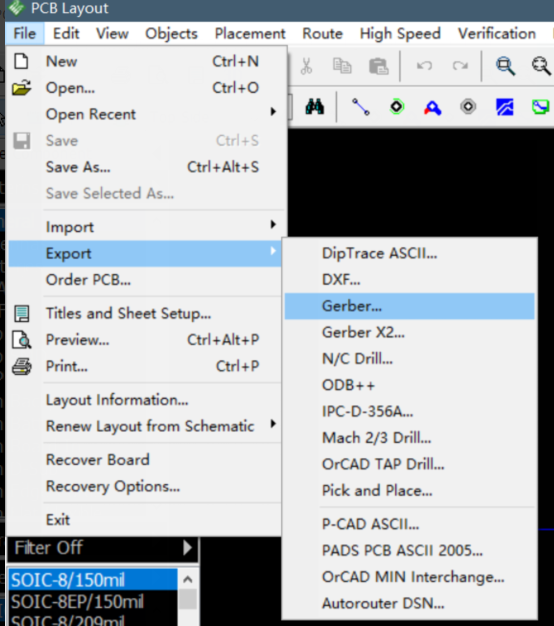
1. Select "File -> Export -> Gerber..."
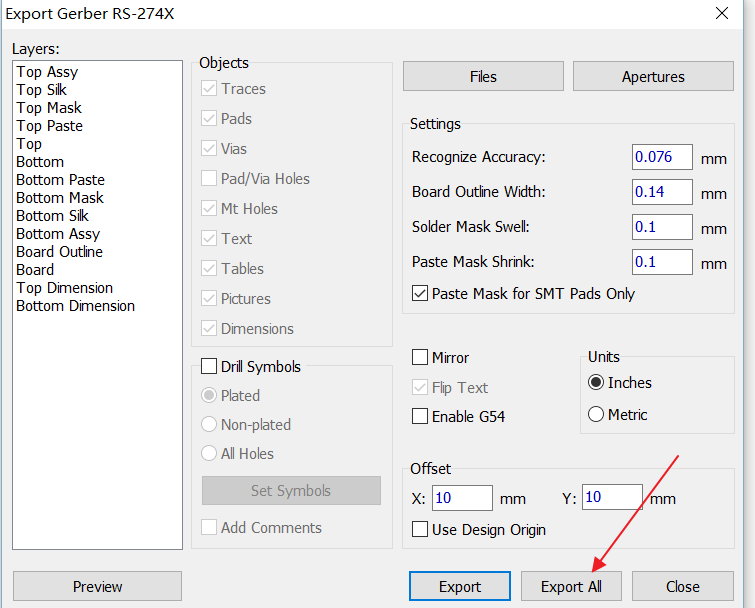
2. In the new window leave everything at default then click on "Export All".
Generating NC Drill File
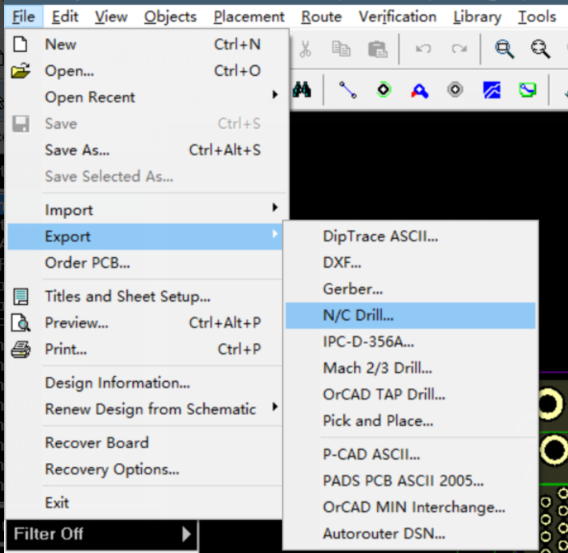
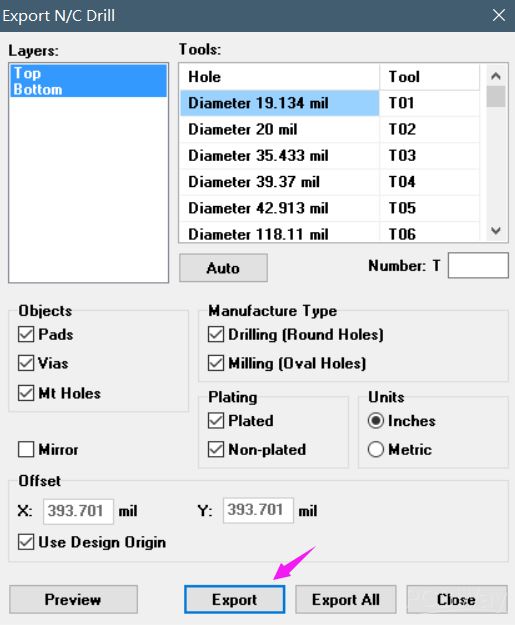
1. Select "File -> Export -> N/C Drill...".
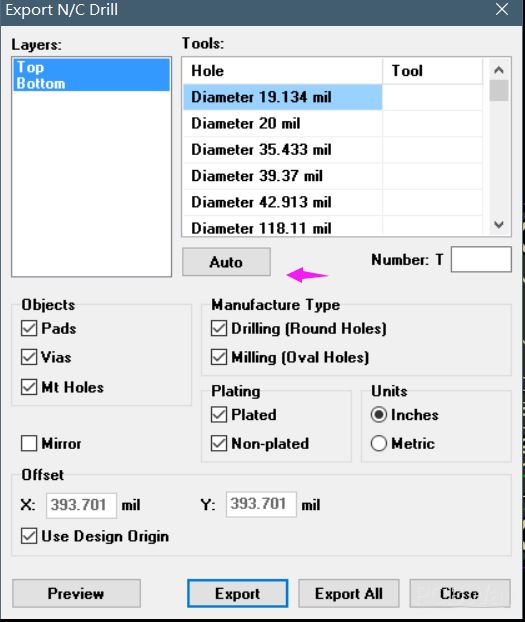
2. In the "Export N/C Drill" window click on "Auto" and then "Export All".
Check the extensions of every generated file according to the table below. Rename them if necessary. After that, put them in a ZIP and then upload it to the Nyákfutár's order site.
Changing the Gerber file extensions
In case of 2 layers:
| Layer | Extension |
| Top Layer | pcbname.GTL |
| Bottom Layer | pcbname.GBL |
| Soldermask Top | pcbname.GTS |
| Soldermask Bottom | pcbname.GBS |
| Silk Top | pcbname.GTO |
| Silk Bottom | pcbname.GBO |
| NC Drill | pcbname.TXT / XLN |
| Mechanical Layer | pcbname.GKO / GML |
In the case of one layer, only the "Top" és "Bottom" files are required.
Additional Gerber files in case of 4 layers:
| Layer | Extension |
| Inner1 layer | pcbname.G2L / G1 |
| Inner2 layer | pcbname.G3L / G2 |
Increasing the number of layers of the PCB will result in more inner layers.